Please provide at least one emergency contact who is not a member of your household. This person may be a relative, friend, neighbour, or other trusted adult whom the school can contact if we are unable to reach a parent or guardian. Please ensure the contact details provided are current and that the person has agreed to act as an emergency contact for your child.
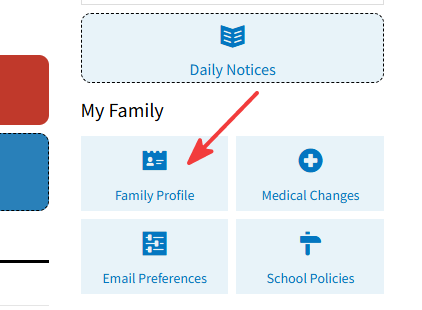
Step 1, login to Veracross parent portal https://pinehurst.nz/vc and click on Family profile button, or directly link https://portals.veracross.au/pinehurst/parent/profile
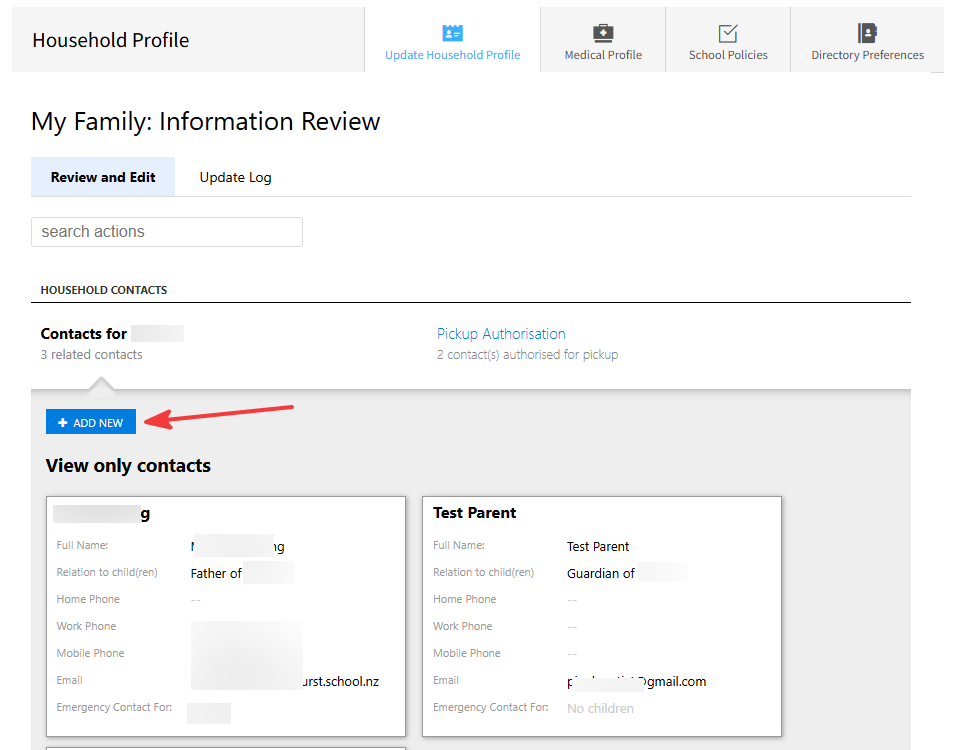
Step 2, Click on Contacts for your child name, view and confirm who are there already. And click on ADD NEW button.
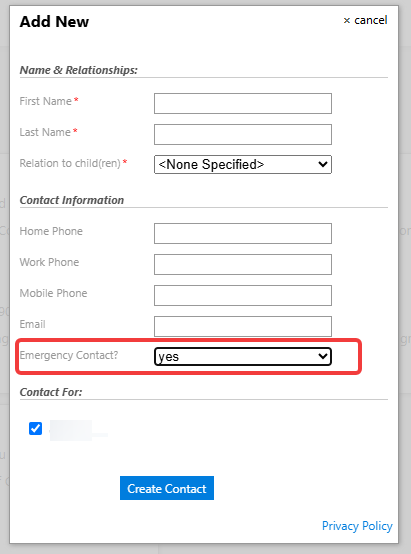
Step 3, In the popup new contact form, please add emergency contact details. The following fields are required:
- First name
- Last name
- Relationship (so this person shouldn’t be parent and caregiver)
- Mobile phone: please use +64 xxxxx format
- (Important) Emergency contact: change to “Yes”